AI Signal with an EV gate
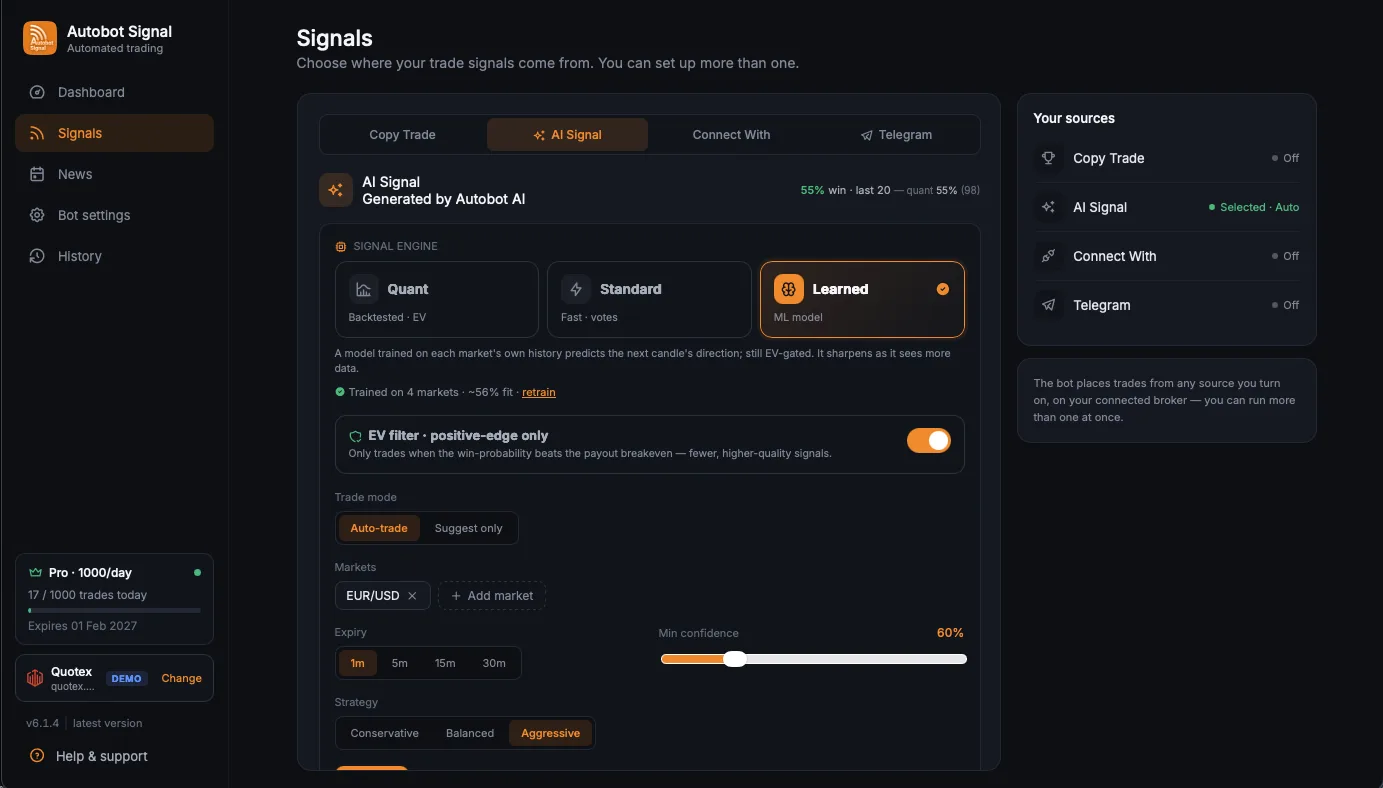
Choose Quant, Standard, or Learned analysis. The engine reports out-of-sample accuracy and can require estimated win probability to exceed payout breakeven before it produces a trade.
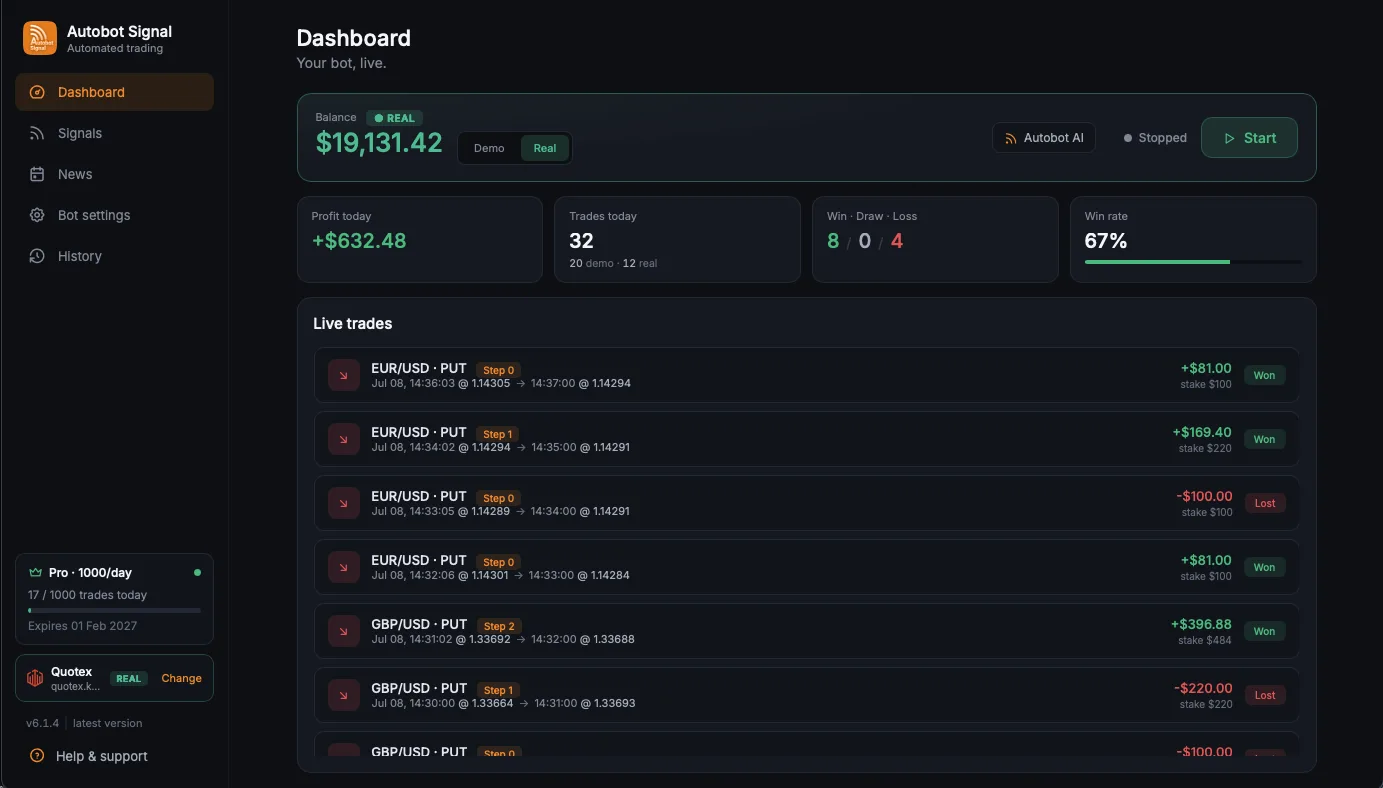
Connect clear AI, Telegram, TradingView, MetaTrader, or copy-trade signals to your Quotex account. Autobot Signal applies your timing and risk rules, executes eligible trades, and records each result in one desktop journal.
Start on a demo account. Automated trading can lose money, and no win rate or profit is guaranteed.
Version 6.1.8 brings the current 6.1 release line together: more signal choices, clearer execution decisions, stronger session recovery, and richer trade records.
Choose Quant, Standard, or Learned analysis. The engine reports out-of-sample accuracy and can require estimated win probability to exceed payout breakeven before it produces a trade.
Sign in with your own Telegram account, select channels, and test message formats. Clear asset, direction, expiry, and entry-time instructions can be parsed; ambiguous messages are skipped.
The app watches the broker session for a dropped connection, attempts a saved-session reconnect, and shows a clear reason when a signal cannot be executed instead of silently treating it as a loss.
Filter trades by account, broker, result, date, and market. The journal shows real settled P/L, an equity curve, peak, drawdown, and a demo-versus-real trade split.
The dashboard keeps your account mode, selected source, current limits, live trades, and settled results in one working view.
The connection flow is kept on the desktop. Quotex uses an on-demand compatible Chrome login when the broker requires a browser session.
Download the notarized macOS build or the Windows 10/11 x64 installer, then sign in to your Autobot Signal license.
Select Quotex, choose demo or real, and complete the broker login on your computer. Chrome is downloaded only when needed.
Select Copy Trade, AI Signal, Connect With, or Telegram. Your saved source is the only one allowed to drive the session.
Configure stake, duration, payout filter, recovery, take profit, stop loss, news pauses, and trading hours before pressing Start.
Explore each source below. The execution path and journal stay consistent while the origin of the signal changes.
Use the built-in engine in Auto-trade or Suggest-only mode. The expected-value filter can reject a setup when its measured probability does not clear the payout breakeven.
 Built around Quotex realitiesSpecific handling, not a broker-name swap
Autobot Signal validates the asset and session before sending an order. When the exact instrument is closed, unavailable, or the connection is not healthy, the safer action is to skip and explain why.
Autobot Signal is an independent software product and is not owned, endorsed, or operated by Quotex.
Automation should make the session easier to review, not harder to understand. The settings and journal remain available no matter which signal source you choose.
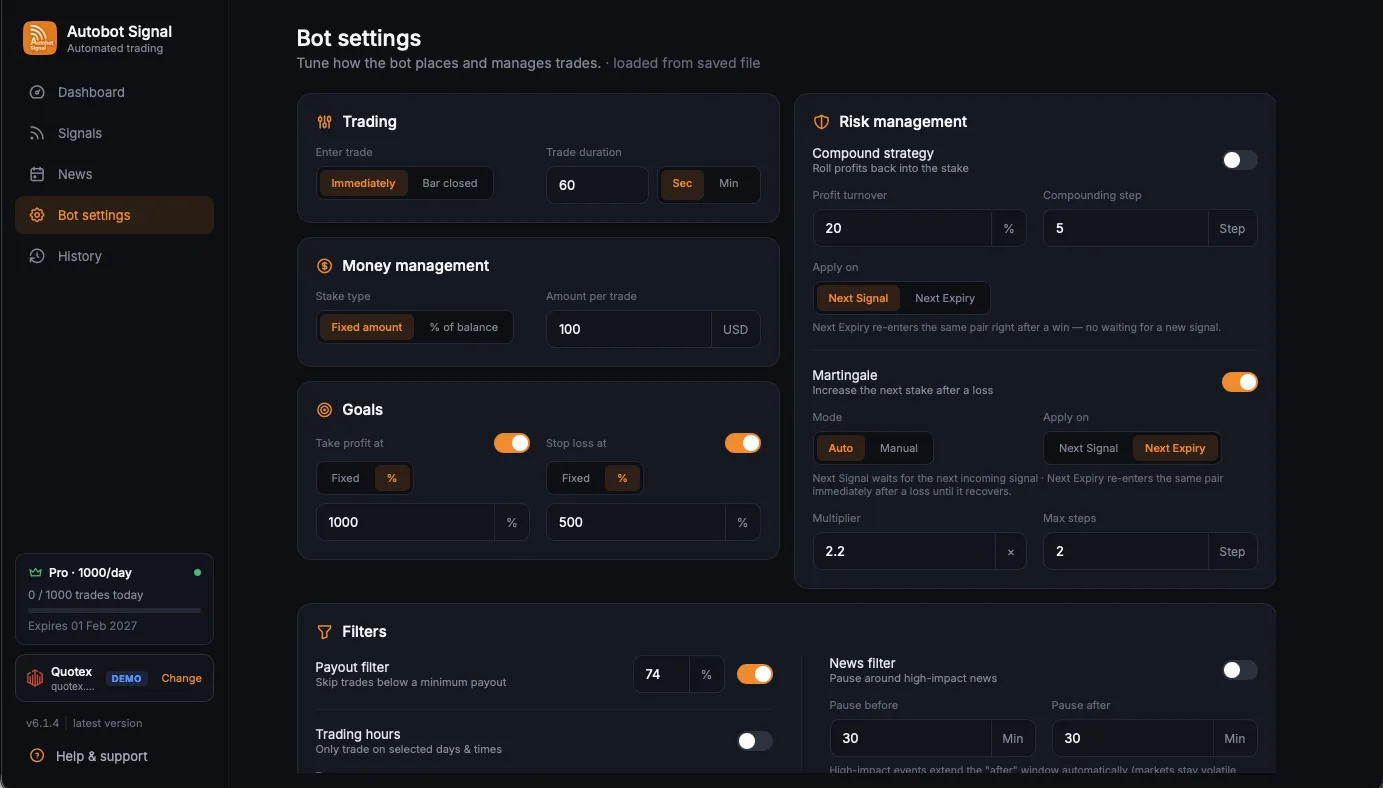
Fixed or percentage stake, martingale or compound recovery, hard step caps, take profit, stop loss, payout filters, and local trading hours.
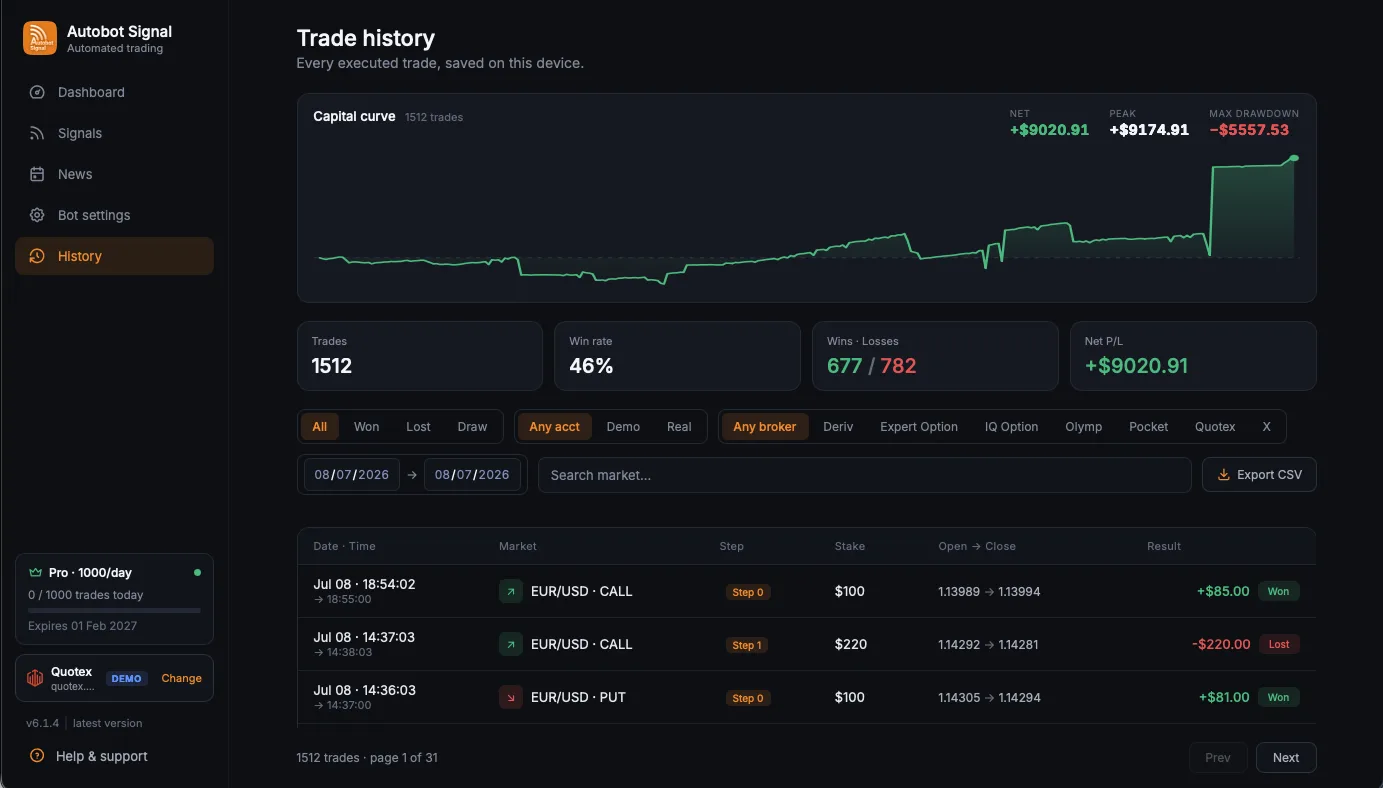
Review date, market, step, stake, open and close values, result, real P/L, equity curve, peak, and drawdown.
Take profit, stop loss, and daily trade limits halt the session instead of allowing an unlimited loop.
Low payout, economic-news windows, closed markets, and unavailable exact assets can prevent execution.
Accuracy and expected value are decision inputs, not promises. AI Signal can produce losing trades.
The same customer-review carousel currently published on the original Quotex Robot page.
These are the practical questions the desktop workflow should answer before a user starts a session.
It is a Windows and macOS desktop application that receives a supported signal, applies your timing and risk settings, sends an eligible trade to your connected Quotex account, and records the settled result in a local journal.
Yes. Version 6.1.8 is available as a Windows 10/11 x64 installer and a notarized macOS application. Quotex login may download a compatible Chrome runtime on first use when a browser session is required.
No. Autobot Signal is execution and journaling software, not a profit guarantee or financial advice. Every source, including AI Signal and copied traders, can lose. Start on demo and never risk funds you cannot afford to lose.
Yes. Telegram Signal reads selected channels through your own Telegram account. Connect With receives TradingView or MetaTrader alerts through your personal signal key. Copy Trade and the built-in AI Signal are also available.
OTC and non-OTC instruments remain separate. The app executes only the exact signal asset. If that exact instrument is unavailable or closed on Quotex, the trade is skipped with a visible reason instead of being redirected to a different market.
The broker login is handled locally by the desktop application. Your Quotex password is not sent to Autobot Signal's website. Use a secure computer and review the Privacy Policy before enabling remembered login.
The connection watchdog checks broker health and can attempt a reconnect using the saved local session. If a trade cannot be confirmed, the app reports the connection problem rather than inventing a result.
Verify the connection and signal format in demo mode before deciding whether automated execution fits your trading process.